Plander.ai.

[01] Background
Plander.ai started from a problem our three-person team faced ourselves. We were juggling multiple projects but none of the existing tools could help us properly break down tasks and distribute work across our schedules.
We envisioned a smarter approach: give the AI a goal, let it split it into smaller steps, and have it automatically place those tasks into your calendar based on when you're free and how you prefer to work.
The project pivoted when we realized the initial scope was too broad. Too much time went into building foundational features that weren't essential, leaving less room for the core planning experience we set out to create.
[02] Branding
The name "Plander" combines "Plan" and "Lander," capturing the idea of helping users land their plans and turn ideas into action.
Most productivity and SaaS tools lean into cold, techy aesthetics. We deliberately went the opposite direction with a warm beige palette to make the experience feel approachable and human. The goal was to create something that feels less like software and more like a personal assistant who genuinely helps you get things done.
I led the entire design execution, including the logo, brand identity, product UI/UX, landing page, and scroll animations.
[03] Goals
Auto Planning
Let users input a high-level goal and have AI break it down into clear, actionable sub-tasks. No more staring at a blank to-do list trying to figure out where to start.
Auto Scheduling
Once tasks are generated, automatically distribute them into available time slots based on the user's calendar, work habits, and energy patterns. Turn a list of tasks into a realistic, executable daily plan.
Adaptive Rescheduling
When plans change or tasks slip, the system automatically reshuffles remaining tasks to keep things on track without requiring manual replanning.
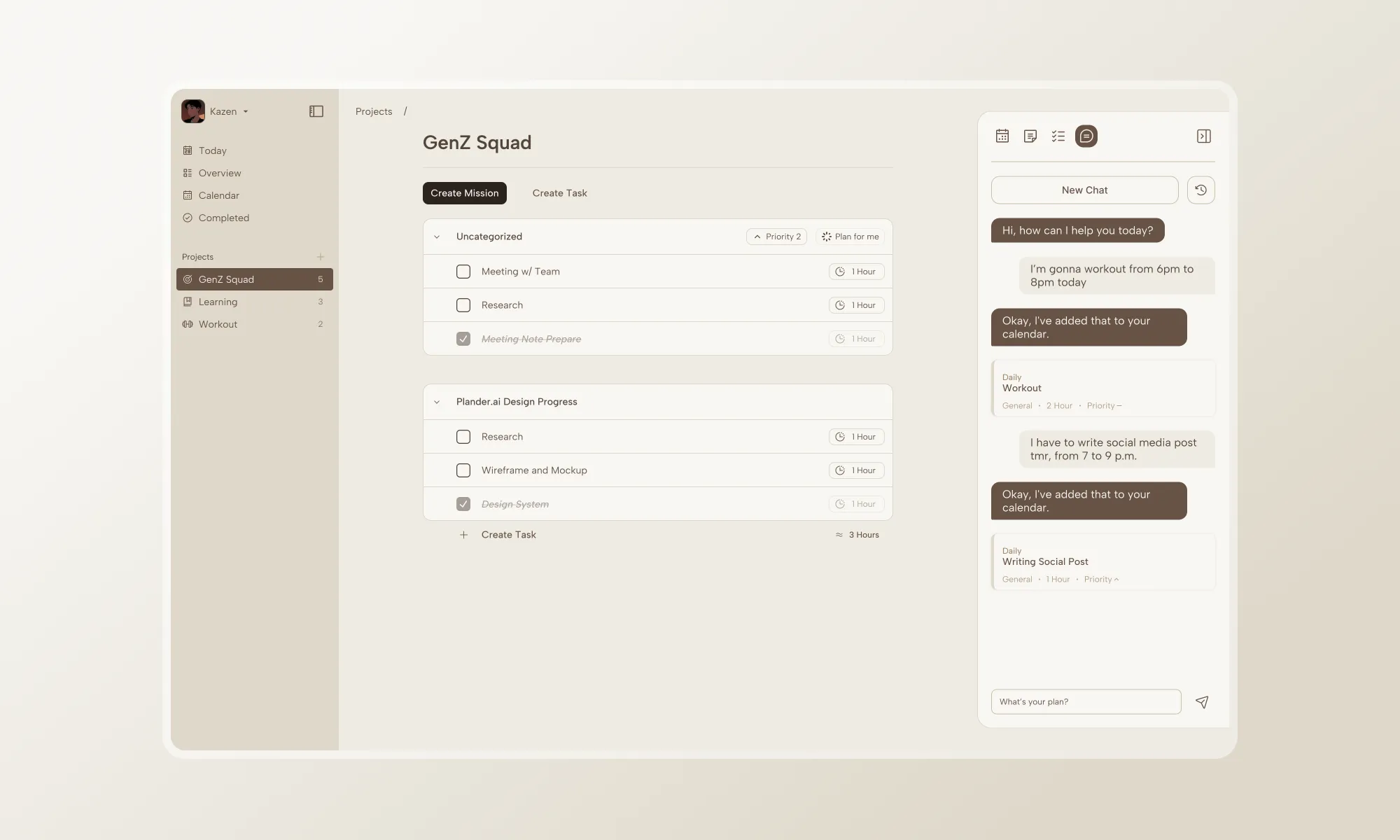
[04] Solutions
Plan Lander: Auto Task Decomposition
Designed an AI interface where users input a goal and instantly receive a structured breakdown of sub-tasks. The system analyzes complexity and generates steps that are individually completable, giving users clarity and momentum from the start.
Flow Calendar: Smart Schedule Distribution
Built a calendar that goes beyond manual drag-and-drop. After tasks are generated, the system reads the user's existing schedule and work patterns, then slots tasks into available time blocks to create a plan that respects both deadlines and personal rhythm.
Rhythm Keeper: Adaptive Rescheduling
Implemented a rescheduling engine that detects when plans go off-track and proposes reshuffled arrangements. When disruptions happen, the system adapts task priorities and timelines while preserving the user's overall workflow.